

You find the restaurant. The menu looks perfect. There is even a booking button, and then the page asks for a Korean phone number.
For years, that was where many short-term visitors simply gave up. Since June 2026, however, foreign travelers have had another option: passport verification for supported Naver reservation and ordering services.
It is genuinely useful, but it is not a magic pass for every restaurant in Korea. Knowing where the new system helps, and where it may still stop, can save a lot of frustrated tapping.
What changed in 2026?
Naver introduced passport verification for foreign users on June 4, 2026. Its official help center says foreign nationals can verify with a passport while using eligible reservation or ordering services, with more services expected to be added over time.
That matters because a restaurant, salon, attraction, or one-day class may use Naver as its main booking channel. A visitor who once met a closed door at phone verification now has another way to knock.
What you need for Naver passport verification
Keep two things ready: your Naver account and your original passport. A saved photo or photocopy will not do; the process asks you to photograph the passport directly and then complete a face check.
Put the passport on a flat surface in a bright place. Glare across the photo page or a very dark room can cause recognition to fail. You do not need a studio, just move away from that ceiling light turning your passport into a tiny mirror.
Naver lists four important conditions:
- The passport must have been issued outside South Korea.
- It must still be valid.
- It must not already be verified on another Naver ID.
- Your name and date of birth must match the information on your Naver account.
That last point is easy to miss. If your account uses a nickname or shortened name, check your profile details before blaming the camera.

How to find places you can book
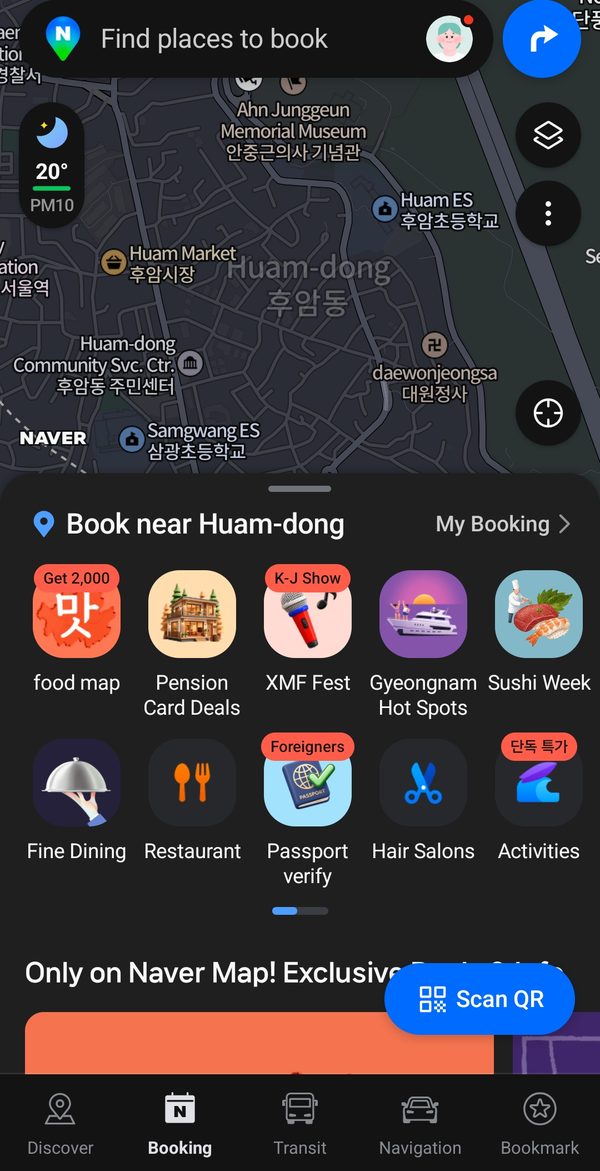
Open the Booking tab in NAVER Maps to browse nearby restaurants, hair salons, amusement parks, one-day classes, train tickets, and other bookable options. You can also search for a specific place and look for a booking label on its place page.
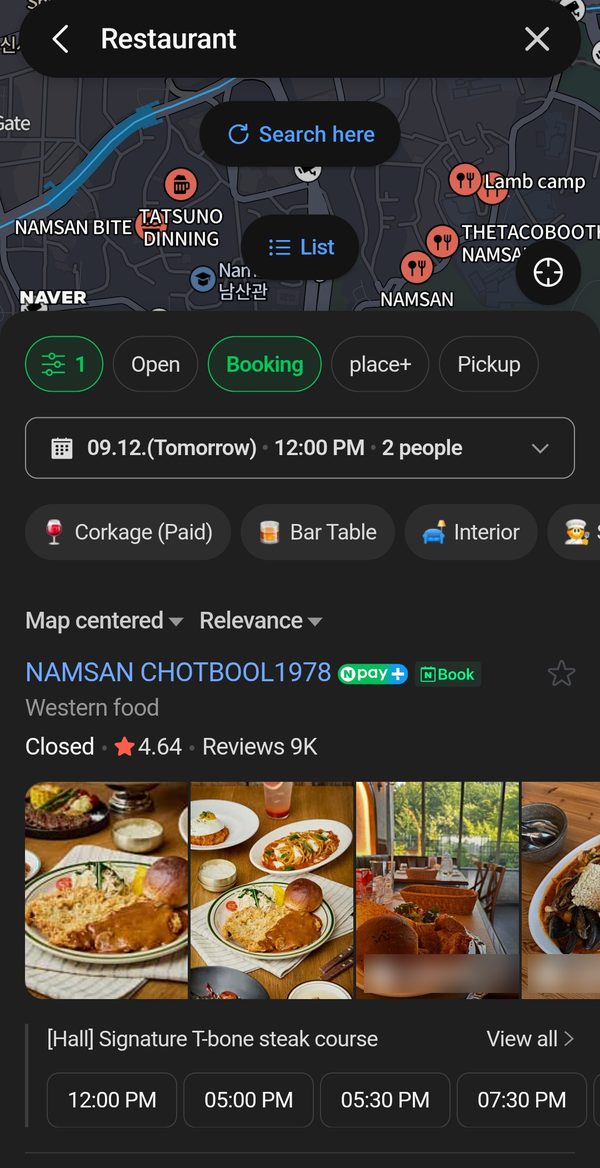
If passport verification appears during an eligible booking or order, follow the instructions shown in the app to photograph your passport and complete the face check. Screens and button labels can change, so it is better to follow the live prompts than hunt for a menu described in an old tutorial.
Before finishing, check the date, time, party size, cancellation deadline, and no-show policy. Completed bookings can be reviewed in the MY area of NAVER Maps.
Discounts and coupons: check before you pay
NAVER Maps sometimes attaches discount coupons to bookings, especially during campaigns aimed at foreign visitors. In the 2026 BE LOCAL campaign (June 5 to July 19), run with Busan City and the Korea Tourism Organization, users who set the app to a foreign language could collect coupons for participating restaurants, including some Michelin-selected ones, and then book and pay inside the app.
That campaign has ended, but similar offers may appear again in the Discover or Booking tabs or on a place page. Before counting on a discount, check four things on the final screen: the valid dates, the participating branch, the minimum spend, and the payment-method conditions. If your overseas card is declined and you switch to paying at the venue, a coupon collected in the app may not apply.
Verified: but still unable to book?
The passport may no longer be the problem.
| Where it stops | What to check |
|---|---|
| No booking button appears | The business may not offer online booking through Naver |
| Passport verification fails | Check the account name, birth date, passport validity, glare, and previous use on another ID |
| Verification works but booking does not | The particular business or product may not support foreign users |
| An overseas card is declined | Look for pay-at-venue or another official booking route |
| You cannot find the confirmation | Check bookings under MY and the email registered to your account |
The most important distinction is simple: identity verification and payment approval are not the same step. Passing the passport check does not guarantee that an overseas card will work or that every business accepts foreign bookings.
If Naver still says no, your dinner does not have to
Check the business’s official website, email, or Instagram account. For restaurants, search Catchtable Global to see whether the same venue offers an international booking route. Your hotel front desk or a tourist information center may also be able to help.
A short message is enough:
Hello. I’m a visitor without a Korean phone number. Could I reserve a table for two at 7 p.m. on September 20?
Avoid entering your hotel’s number, or a random Korean number, as if it were your own. If a confirmation text goes somewhere else, dinner can turn into a mystery game just when you are hungry.
Keep your passport inside official screens
Passport numbers and birth dates are sensitive information. Start verification only inside the Naver app’s reservation or ordering flow, or through a page reached from Naver’s official help center. Do not upload your passport through an unfamiliar link sent in an ad or direct message.
If verification repeatedly fails, use Naver’s official support route rather than sending a passport photo to another person for help.
Passport verification is not an all-access key, but it removes one of the most frustrating barriers for visitors. Sometimes that is enough to turn a saved pin on a map into an actual table waiting for you.